
Tuples in C#
A tuple is a data structure that can store multiple values of different data types in a single unit. In C#, tuples are used to return multiple values from a method, or to store a group of values without creating a separate class.
A Practical Approach

A tuple is a data structure that can store multiple values of different data types in a single unit. In C#, tuples are used to return multiple values from a method, or to store a group of values without creating a separate class.

Coming from a .Net background, I found it a bit challenging in figuring out how a developer can have a configuration file in the Python application which could be used to read setting values and one does not have to even touch the code to update or save settings. Config files are used to store key-value pairs or some configurable information that could be read or accessed in the code and at some point, of time. If that configuration changes, developers can just change the configuration in that config file and not worry about changing the code as it may require recompiling the code and deploying it. Not only this but using config files make your settings and code more reusable and keeps the settings information at a centralized location and segregated. Of course, sensitive information like passwords, secrets, and certificates should be kept more secure, maybe in cloud vaults. But basic settings used in the application could be part of a configuration file.
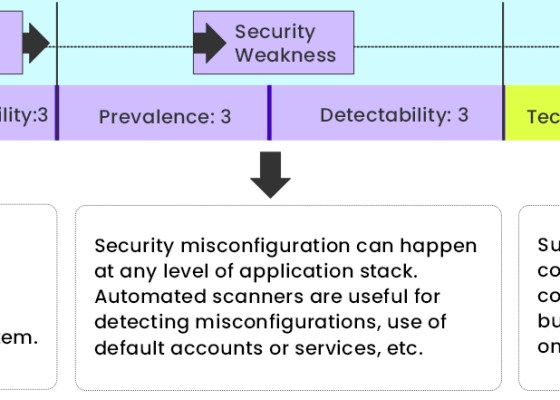
There are a number of ways in which a software’s security could be jeopardized. The statement in itself is quite generic in nature, making it more frightening. But, what if we said there are ways to make your upcoming product, platform, or application entirely secure? Quite heart-warming. Yes, there are a few basic approaches to make your program more secure over time if the security concerns are addressed from the start of software development. When developing your system, it’s all about knowing the threats and anticipating the vulnerabilities in your application.

Are your applications born secure? Is your API vulnerable? Do you have a strong, overlapping set of defenses? These questions are important for software developers and organizations who believe that security is something that an application should be born with.

Cloud computing is a modern approach to managing business requirements more efficiently. With the breakthrough of the internet and technology, the term has only evolved and become more popular. You can easily find cloud computing applications in several domains. Many software companies are transitioning from an expensive licensed software model to a cheaper, flexible, and efficient cloud subscription model. This article explains how cloud computing has spread like a virus and how it impacts education technology. Before digging deeper, it is crucial to understand the meaning of cloud computing.

The talk about Cloud Computing is viral. But what is cloud computing? How does it work? Why is it needed for businesses of all sizes? Let’s try to brainstorm and find answers to these questions.

In the first article of the series we learned about the concepts, terminology, technologies involved, installing Jenkins, creating ASP.NET Core application and continuous integration of Asp.Net Core application using Jenkins via two approaches i.e. pipeline approach and freestyle project approach. In the second article, we published the ASP.Net core application to Azure App Service and Configured Jenkins on Azure. In the third article of the series, we focused on Azure Active Directory and Service Principal and how to integrate Jenkins with Azure Service Principal.
In this last article of learning CI and CD of Asp.NET Core application using Jenkins, we’ll learn the CI/CD of ASP.NET Core application on Azure using Jenkins Azure Pipeline.

In the first article of the series we learned about the concepts, terminology, technologies involved, installing Jenkins, creating ASP.NET Core application and continuous integration of Asp.Net Core application using Jenkins via two approaches i.e. pipeline approach and free style project approach. In this article we’ll publish the ASP.Net core application to Azure App Service and Configure Jenkins on Azure before we move on to next steps.
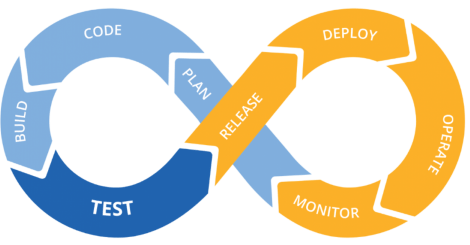
This article series will explain using Jenkins for CI and CD of an ASP.NET Core web application on the local development environment, publishing the web application to Azure Web App Service and configuring Jenkins on Azure for continuous integration and continuous deployment of the hosted application. GitHub will DevOps as a source control repository. We’ll create a pipeline using Jenkins that fetches the code from GitHub, builds the code, runs the tests and deploy the package. This will be a repetitive task on each commit to the code located on GitHub.

The current competitiveness in the software development industry has put a high premium on companies needing to be flexible. Geared towards rapid delivery and continuous tractability, agile culture has taken over the project management space and increased the success rate of many software companies.
 Code Teddy